
Most resorts don't run one butler per guest. They run teams — often several of them across a property, each with two or three butlers covering the same set of guests. This is how that actually works inside Butler AI, and the handful of rules that keep it working when staffing changes.
What a butler team is
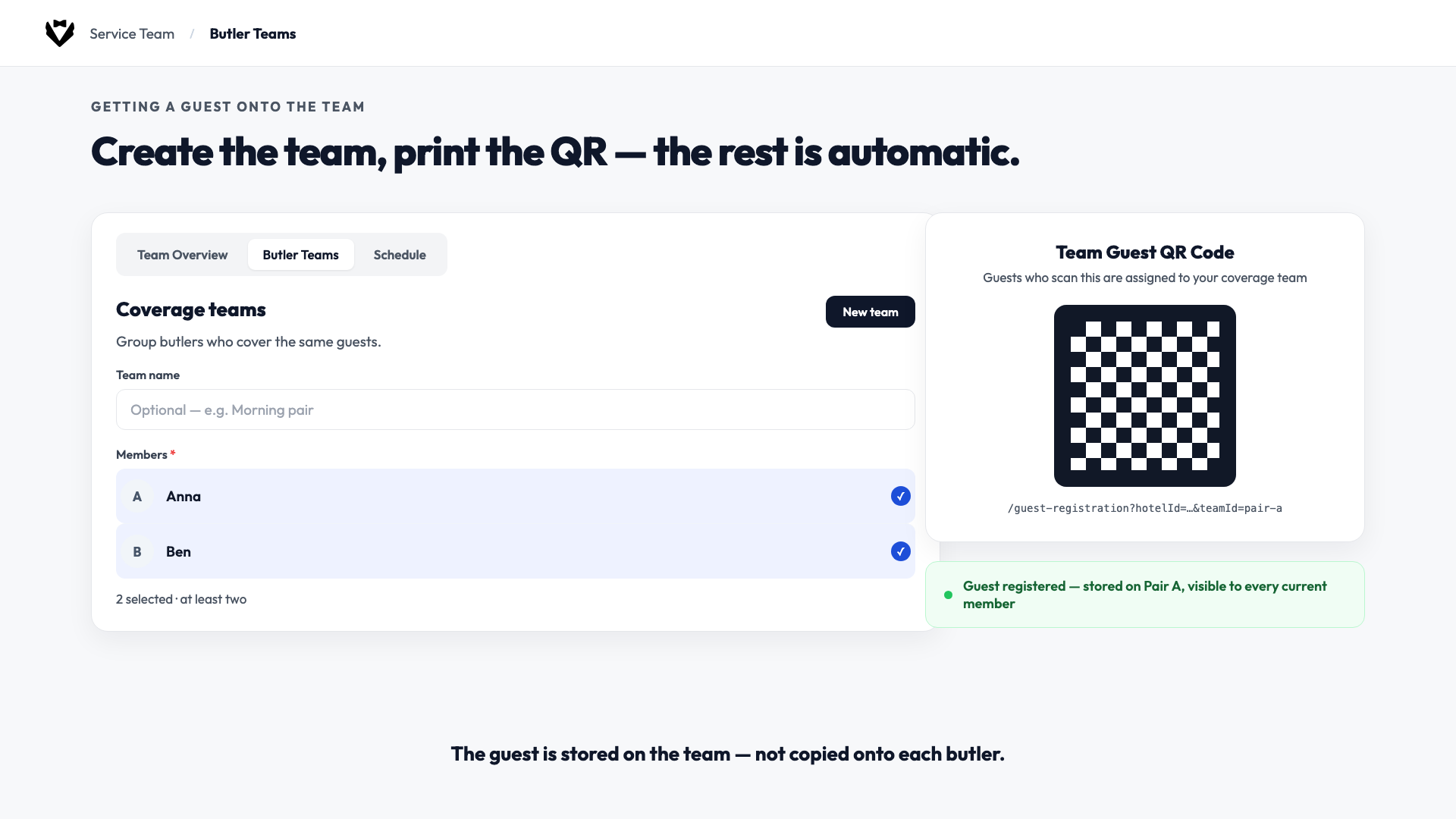
A butler team is a small group of butlers — a pair or more — who share the same guest book. The guest is assigned to the team, not to whoever happens to be on shift. Change who's on the team, and you change who sees those chats. The guest, and the QR code they scanned, never change.
A manager creates a team — say, “Pair A” with Anna and Ben — and from that point on, every current member of the team sees the same guests in their own butler chat. Personal butler QR codes still exist for solo assignment; teams are a separate, parallel path for shared coverage.
One detail worth being precise about: butlers work inside the Butler AI app, not WhatsApp itself. The guest messages over WhatsApp, but the butler reads and replies from Butler AI's own inbox — the app just shows which channel a conversation came in on.
Getting a guest onto the team
Setting one up takes three steps: create the team under Service Team → Team → Butler Teams (at least two staff), then print or display the team's QR code. When a guest scans it, they're stored on the team — not copied onto each individual butler. Every current team member sees that guest immediately, in their own chat, at full context.
Shift ends, the other butler continues
This is the part that actually saves time. Say Anna goes off duty and Ben comes on — Ben already has the guest in his chat list and just replies in the same conversation. There's nothing to hand over, no note to leave, no separate log to update. Anna comes back next shift and sees the same book. The guest is never told the butler changed, because as far as they know, they've been talking to the same team the whole time.
Coverage at scale: running several teams
Most properties don't stop at one team. A resort running a full butler programme typically runs several coverage teams at once, each with two or three butlers, with each team's shifts staggered through the day rather than stacked on top of each other. The point of staggering isn't just headcount — it's that a team with overlapping-but-offset shifts spends more of the day with someone actually free to answer, instead of everyone clocking in and out at the same two moments.
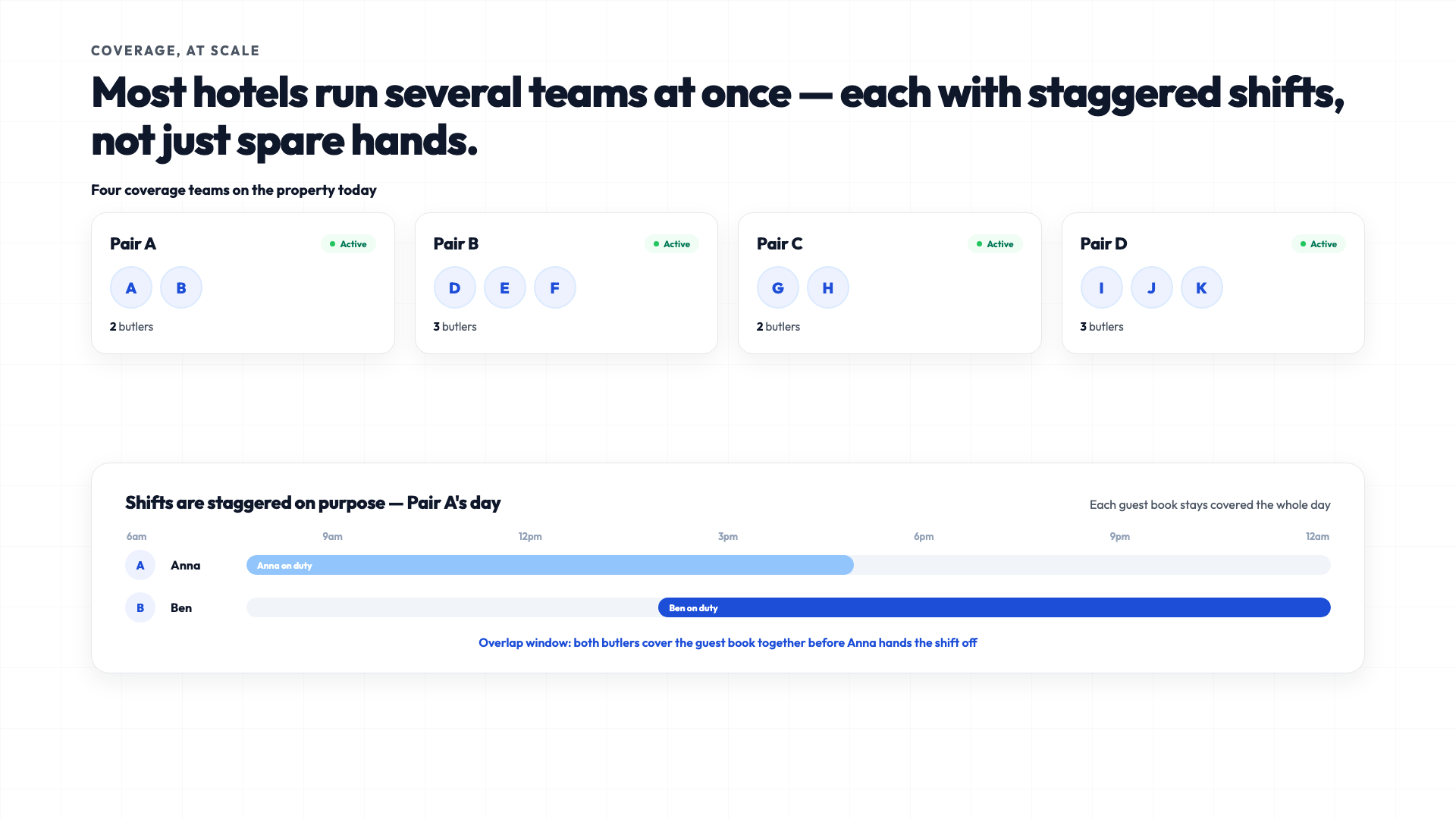
Need extra help for a single busy night, or to cover someone's sick day? Add that person to the team. They immediately see every in-house guest on that book. When the cover shift ends, remove them — the guest stays exactly where they were, and nobody reprints a QR code. The one constraint: a person can only be on one active team at a time.
When someone leaves the job
Staff turnover is where teams either pay off or become a mess, depending on the order you do things in. The rule is simple: add the replacement first, then remove the person who's leaving.
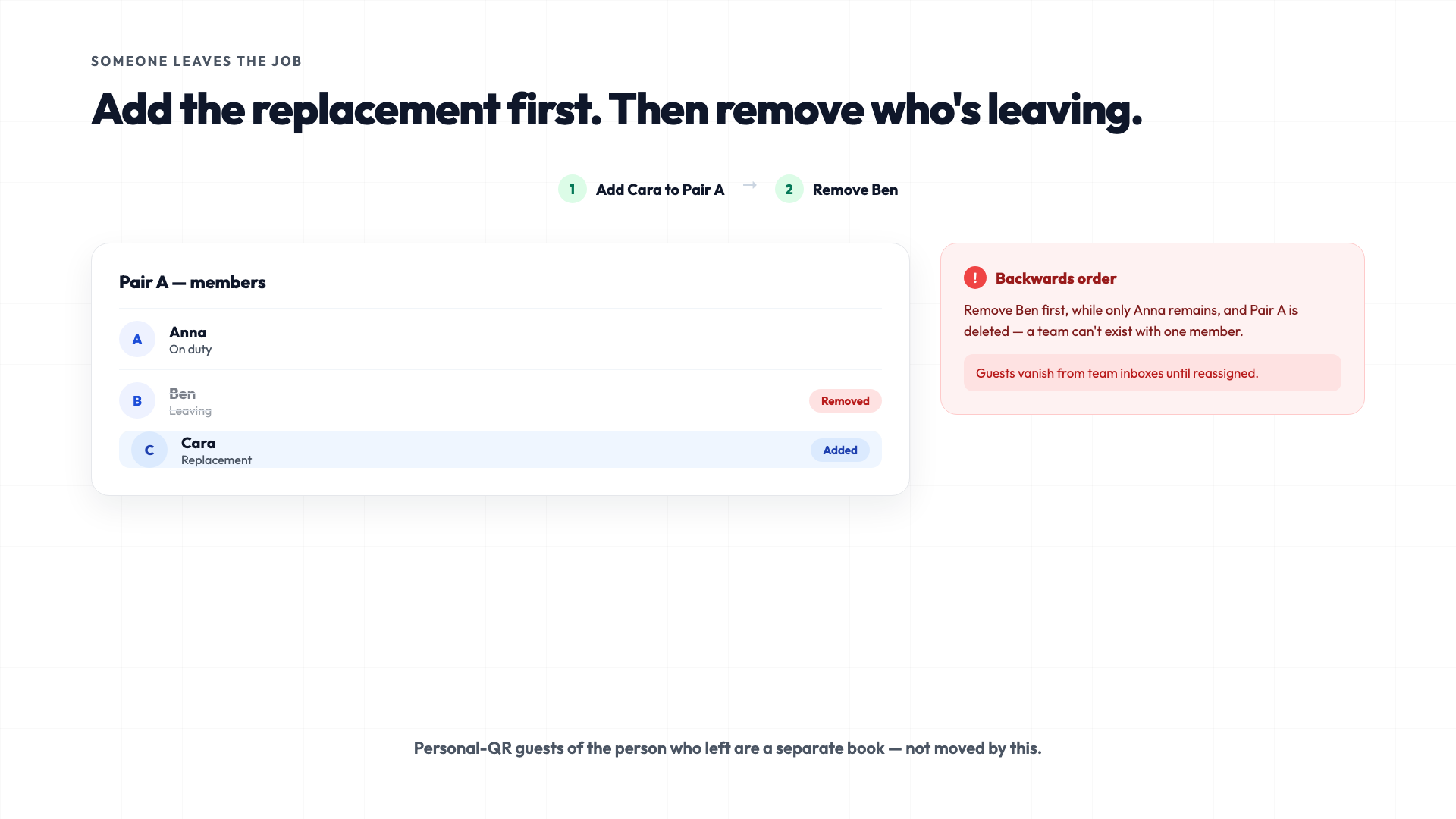
That order matters more than it looks. A team can't exist with only one member — if you remove the last remaining partner before adding someone new, the team itself gets deleted, and its guests disappear from every team inbox until you put them back on a team. Add Cara to Pair A first, confirm she's in, then remove Ben. Ben's personal-QR guests (if he had any) are a separate book and aren't touched by any of this.
What you never do on the team path
- Don't rewrite each guest onto the next butler by hand.
- Don't reprint the team QR when membership changes.
- Don't put team members onto a guest's personal butler field.
Membership is the coverage list. Edit the team, and the chats follow automatically — that's the entire mechanism, and it's why it holds up across shift changes, cover nights, and staff turnover without anyone maintaining a side spreadsheet.
If you're setting up coverage teams for the first time, the same roster logic sits inside Butler AI's operations platform, alongside the staff roles and admin controls that decide who can create or edit a team, and the same guest inbox profile every team member reads from.
Questions about setting this up for your property? Reach out through heybutler.io.