
A butler answering a guest and a request being done are two different things. In a butler programme, the first is easy to see in the chat. The second is what an ops team actually needs to know. Here is how request tracking closes that gap.
The guest asks once and knows where it is
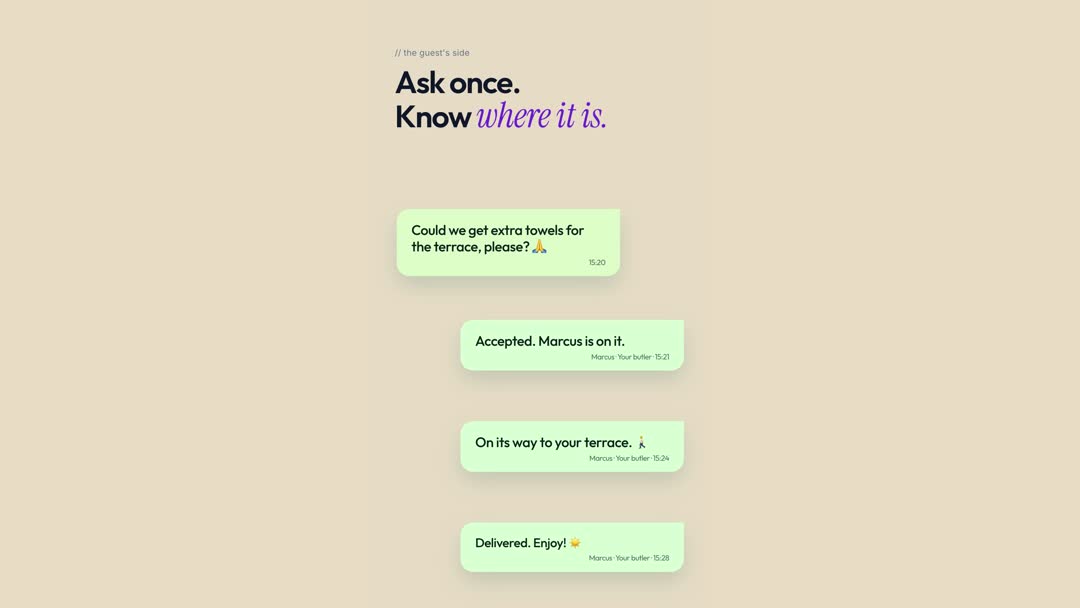
A guest on the terrace asks for extra towels. The reply comes back in the same WhatsApp chat: accepted, on its way, delivered. The guest does not need to ask whether anyone saw it. Guests can check progress without repeating the question. Read more on how guests connect.
Think about the last time you asked a hotel for something and heard nothing for twenty minutes. The silence is what frustrates people, more than the wait. A short update such as accepted, on its way, delivered turns waiting into something the guest can relax about. It also stops the repeat message: the second "any update?" that costs the butler a few seconds and the guest a little patience.
Ops sees every status
Behind the chat, the same request shows up with an owner and a status: accepted, in progress, done. Requests are routed with clear ownership and reach the right butler with full context, so an ops team can see what is open without asking each butler. See how request routing assigns the right butler.
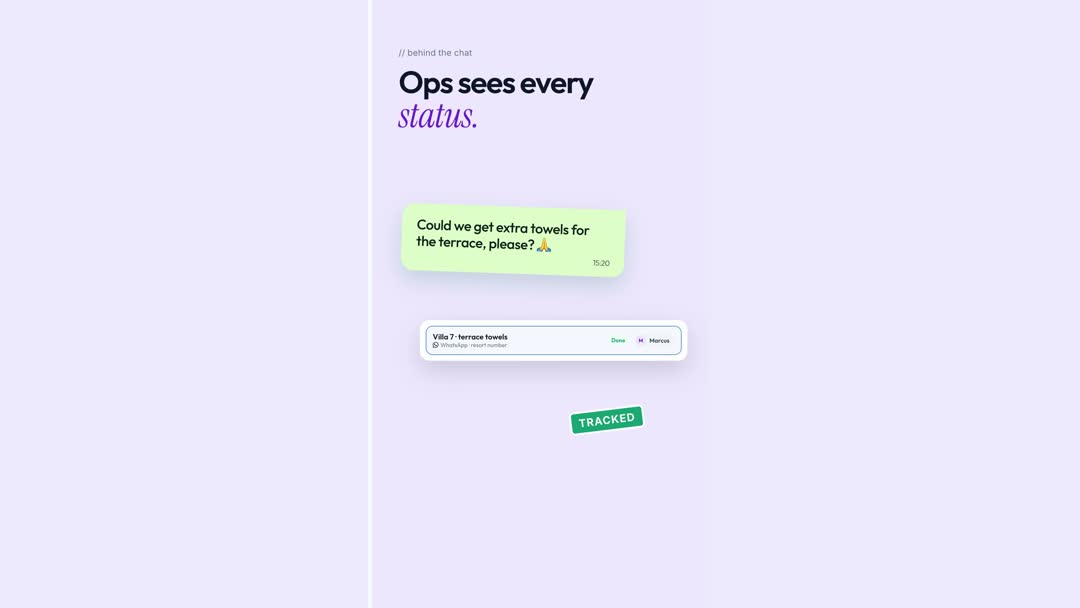
The same status that reassures the guest is what gives the team a working picture. A request that is accepted but not started looks different from one in progress, and both look different from done. That is how an ops team stops relying on "I think someone has it". The assignment side of this is covered in request routing and SLA alerts, and what happens when a conversation is closed out is in resolving conversations and tracking response times.
Answered is not the same as done
In a chat, a reply feels like progress, so an unresolved request can look finished. A butler writes "of course, on it" and the thread goes quiet. Was the towel delivered, the table booked, the transfer confirmed? Only the butler knows, and only until the shift ends. Giving each request a status separates two things that chat conflates: the conversation, and the work. It also means that when butler shift handover happens, the next butler can see which requests are still open and which are finished, rather than inferring it from the thread.
What a good request lifecycle looks like
Whatever you use, a healthy request lifecycle for a butler programme has the same few moments:
- Accepted: someone owns it and the guest knows.
- In progress: the work has started, with an expected time if possible.
- Done: the guest is told and the request closes.
- Late: if it sits too long, someone is alerted before the guest has to chase.
The fourth step is the one most programmes lack. It is what turns a record into an early warning. See reply SLA alerts for hotel managers for how late replies are surfaced.
Keep the WhatsApp your guests like
None of this asks the guest to learn anything. They stay in WhatsApp, in the same conversation, and the updates arrive as ordinary messages from their butler. Behind the scenes the resort gets what a handset could not give it: an owner, a status and a record for every request. This builds on the resort-number idea in one resort WhatsApp number and the team-wide view in the butler supervisor view, and the longer record is described in hotel audit logs.
Questions we hear from ops teams
Does the guest see the internal status?
The guest sees the updates the butler sends in the chat. The team sees the request's owner and status in Butler AI.
Can a request be reassigned mid-way?
Yes, and the history moves with it. See butler shift handover.
How do we know a request has been waiting too long?
Thresholds are an ops decision. See ops settings, SLA thresholds and data retention.
If you run a butler programme and want to see it, see a demo, read about Butler AI for butler operations, or book a demo at heybutler.io. Browse hotel use cases for other ways resorts use the same ideas.