
Picture a beach resort in Mexico at three in the afternoon. A guest in Villa 7 asked for extra towels at the pool at 2:25. The butler on that shift was pulled into a transfer, the next shift has not started, and the message sits there. Nobody ignored the guest. Nobody knew. This is how a reply SLA alert turns that quiet gap into something a manager can act on.
Slow replies are rarely a butler problem
In a butler programme of around 500 rooms with 30 to 35 butlers across three shifts, there will always be moments when a butler is busy with another guest, on a break, or at the end of a shift. The guest does not see any of that. They see a message that has not been answered yet.
The honest challenge for ops is visibility. Butlers are usually doing their best, but a manager cannot answer a message they do not know is waiting. We looked at the broader picture of keeping response times fair in how resolving conversations shapes response-time metrics.
How resorts usually handle it today
Most resorts we speak to run one of two setups, and both were chosen for good reasons. Some issue a butler phone per villa, which gives a dedicated line, although the guest then carries a second phone. Others let guests write to the butler's own WhatsApp, which guests like because it is personal and simple. See why guests do not want a second butler phone and how the personal butler model works on WhatsApp.
Both work well while the butler is looking at the screen. What neither gives a manager is a signal that a guest has been waiting, because the conversation lives on one handset. Shift rotation and butler assignment are where those gaps tend to open.
What a reply SLA alert does
Butler AI watches conversations and, when a guest has waited too long for a reply, tells a manager. The alert carries what the manager needs to decide straight away: the guest and villa, the request they made, and how long they have been waiting. In the example in the video the alert fires at the 45-minute mark. You can read the full feature description in reply SLA alerts for hotel managers.
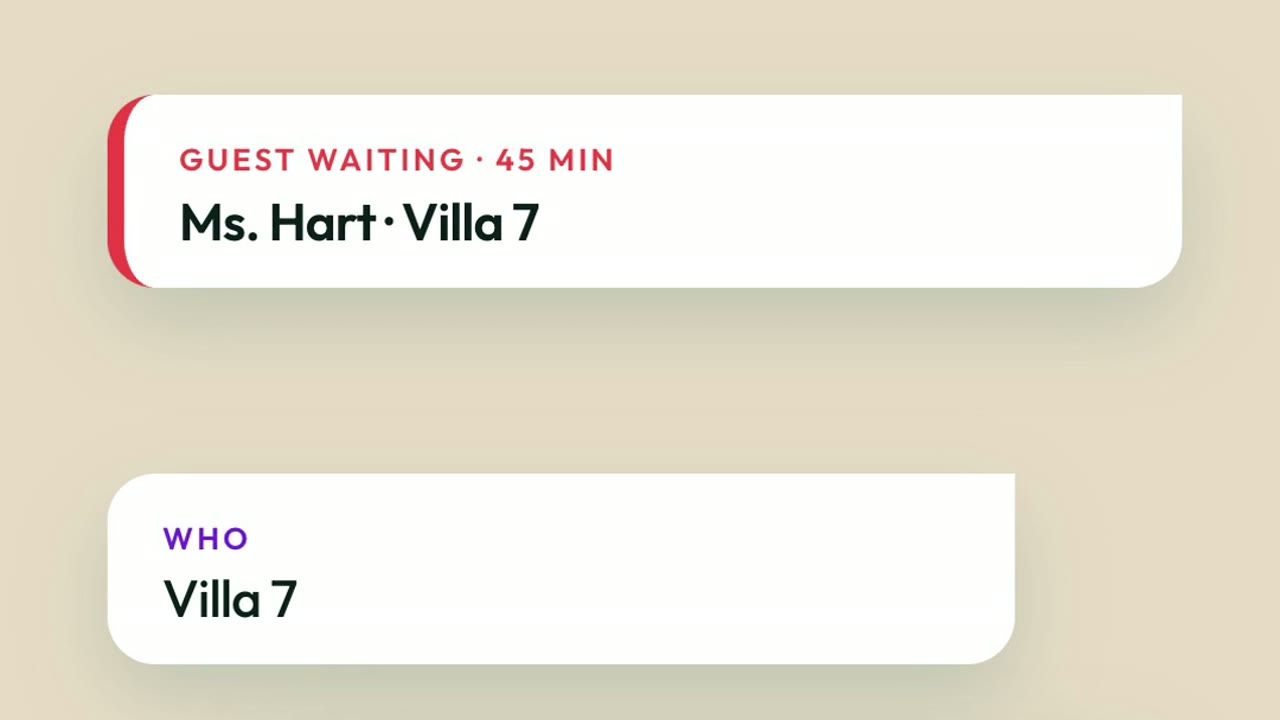
Response thresholds are set once in Ops Settings, as we describe in the guide to SLA thresholds in Ops Settings, so the rule belongs to the resort rather than to any one person's memory.
It helps to be clear about what the alert is not. It is not a verdict on the butler. A butler who is in the middle of a transfer for one guest is doing exactly what the programme asks of them, and the alert simply makes sure the next guest is not left unseen. The manager gets the decision, with the facts in front of them, instead of finding out when the guest follows up or mentions it at breakfast.
Two taps: open it or reassign it
The alert offers two actions. The manager can open the conversation and see exactly what was asked and what has happened so far, or reassign it to a butler who is free. Reassignment moves the thread with its history, in the same way as a shift handover, which we cover in how shift handover works for guest conversations.
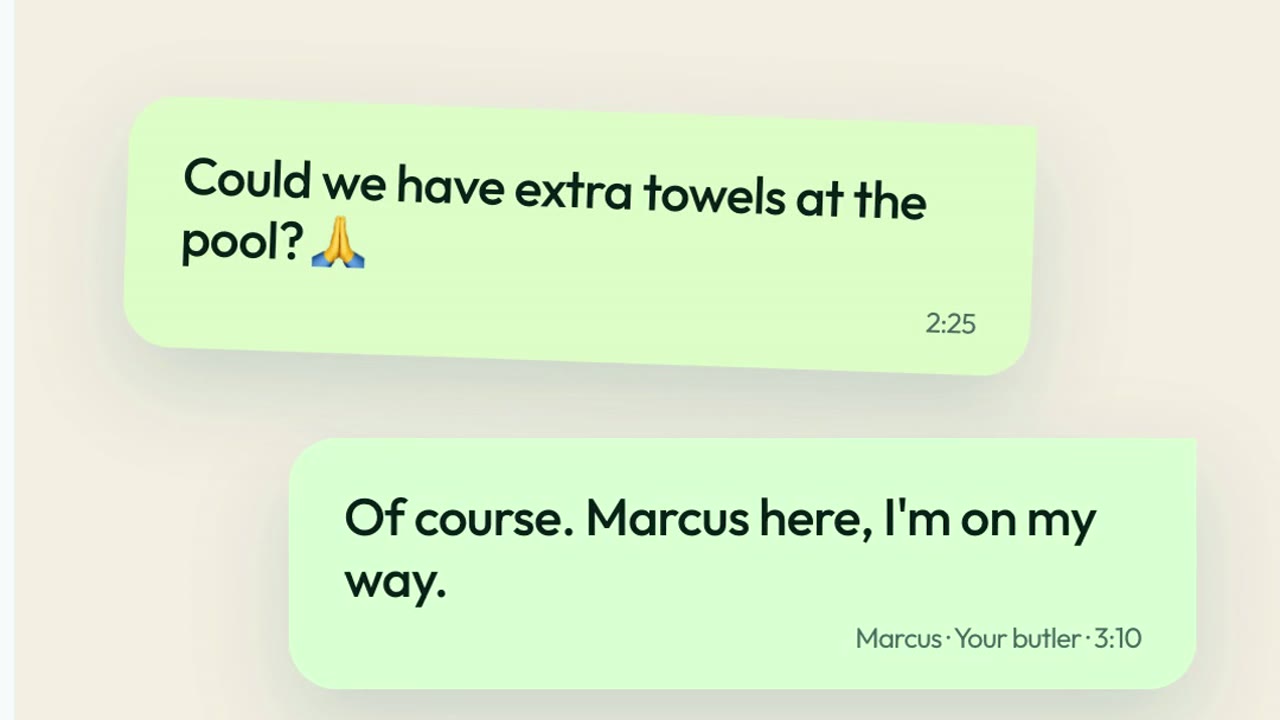
From the guest's side nothing changes except the answer arriving. They stay in WhatsApp, in the same thread, and hear from their butler.
What ops sees
For an ops director this changes a conversation about service from anecdote to something visible. The supervisor can already see every butler's workload and the guests who are waiting, as described in the supervisor view for butler workload and response times, and requests move through accepted, in progress and done as covered in request tracking for butler programmes.
Routing and alerts work together, as guest request routing with SLA alerts explains, and teams that cover the same villas can share coverage, as in how butler teams share guest coverage. Because each conversation is logged, the record also stays with the resort, which hotel audit logs describes.
There is a guest-facing side to this too. A resort that notices a slow reply and fixes it quietly protects the experience that a personal butler is meant to deliver. The guest sees a prompt answer from a named butler, in the thread they already use, and the ops team has a record of what happened if they want to review it later. That is the difference between service that depends on luck on a busy afternoon and service that the whole team can see.
A quick checklist: could your team catch a waiting guest?
Take one busy afternoon and ask:
- If a guest has waited 45 minutes, who finds out, and how?
- Does that person see the guest, the villa and the request in one place?
- Can they hand the conversation to a free butler without a phone call?
- Does the history move with the conversation?
- Can ops look back afterwards and see what happened?
Frequently asked questions
Who gets the alert? A manager. The alert shows the guest and villa, the request and how long they have waited.
What can the manager do from the alert? Open the conversation, or reassign it to a butler who is free.
Do guests need to do anything different? No. They keep messaging in WhatsApp and the answer arrives in the same thread. See the resort butler service page and butler operations for how the team works.
Butler AI works through WhatsApp for hotels, so guests stay where they already are. Explore the use cases or the product overview, or book a demo to see how your ops team can catch a waiting guest before they have to ask twice.